
Code compliance
The building codes that apply where the property is. Each issue quotes the clause.
AI drawing reviewUses AI tokens
Pick the sheets and send them to the AI Reviewer. It checks them against the building codes for the property’s location, the rest of the set, your schedules, specifications and consultants’ documents, and the client’s markups. Each issue comes back as a red cloud on the sheet, with a numbered comment and a suggested fix.
Paid with AI tokens. A review of 20 sheets takes about 1,300 tokens (about $22.54). Token packs and prices
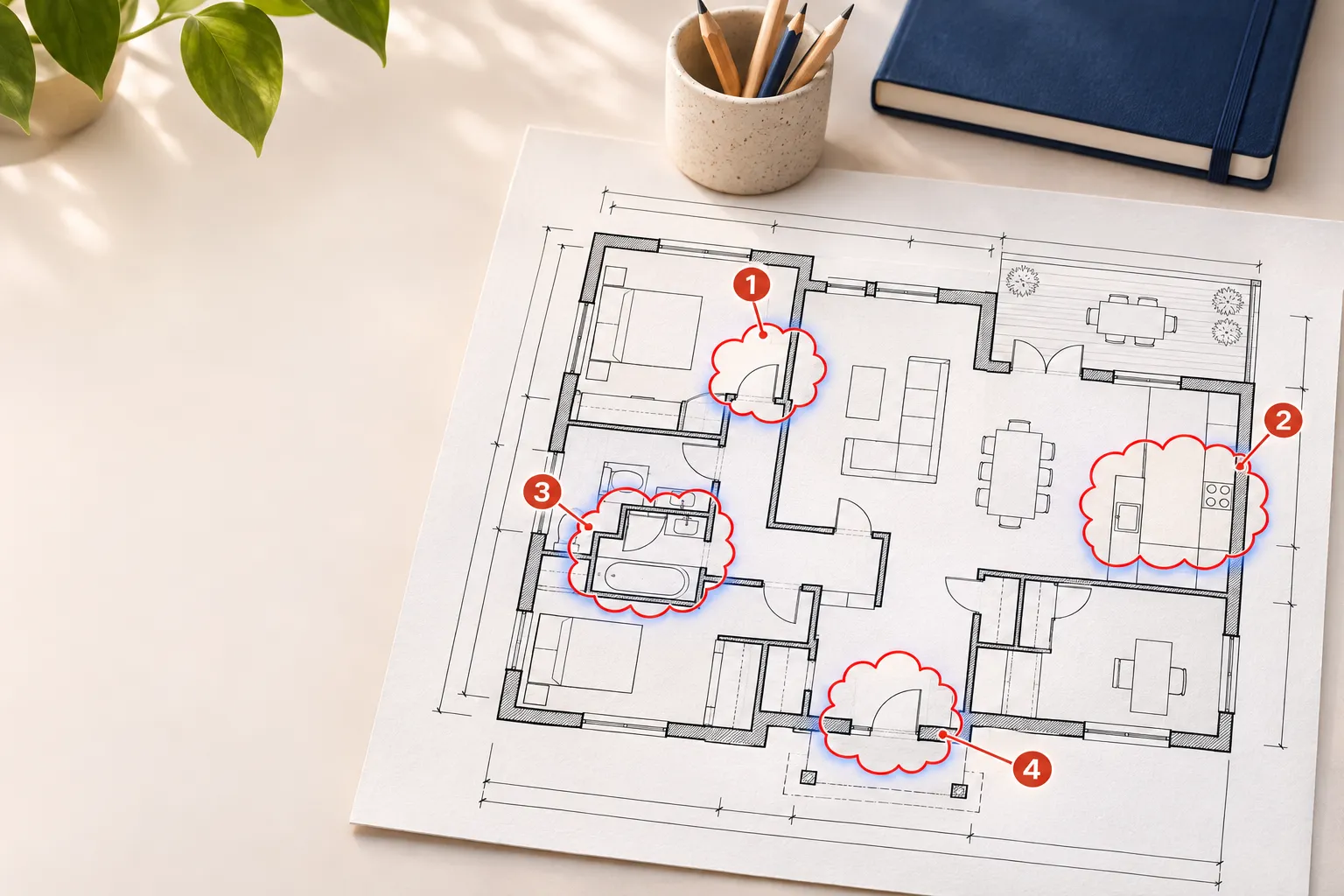
Measured on real projects
From AI reviews of live projects in November 2026. They are examples, not promises: your sets will differ.
What it checks
It reads the sheets together, the way a reviewer does with the whole set open.
The building codes that apply where the property is. Each issue quotes the clause.
Dimensions, labels, notes, the title block and typos.
Plans against sections and elevations, tags against schedules, detail and section references, and the documents in your register.
Each thing the client asked for, checked on the sheet it applies to.
Code compliance
It takes the property address from the project, or reads it from the title block and saves it for next time. Then it checks online what that place has adopted.
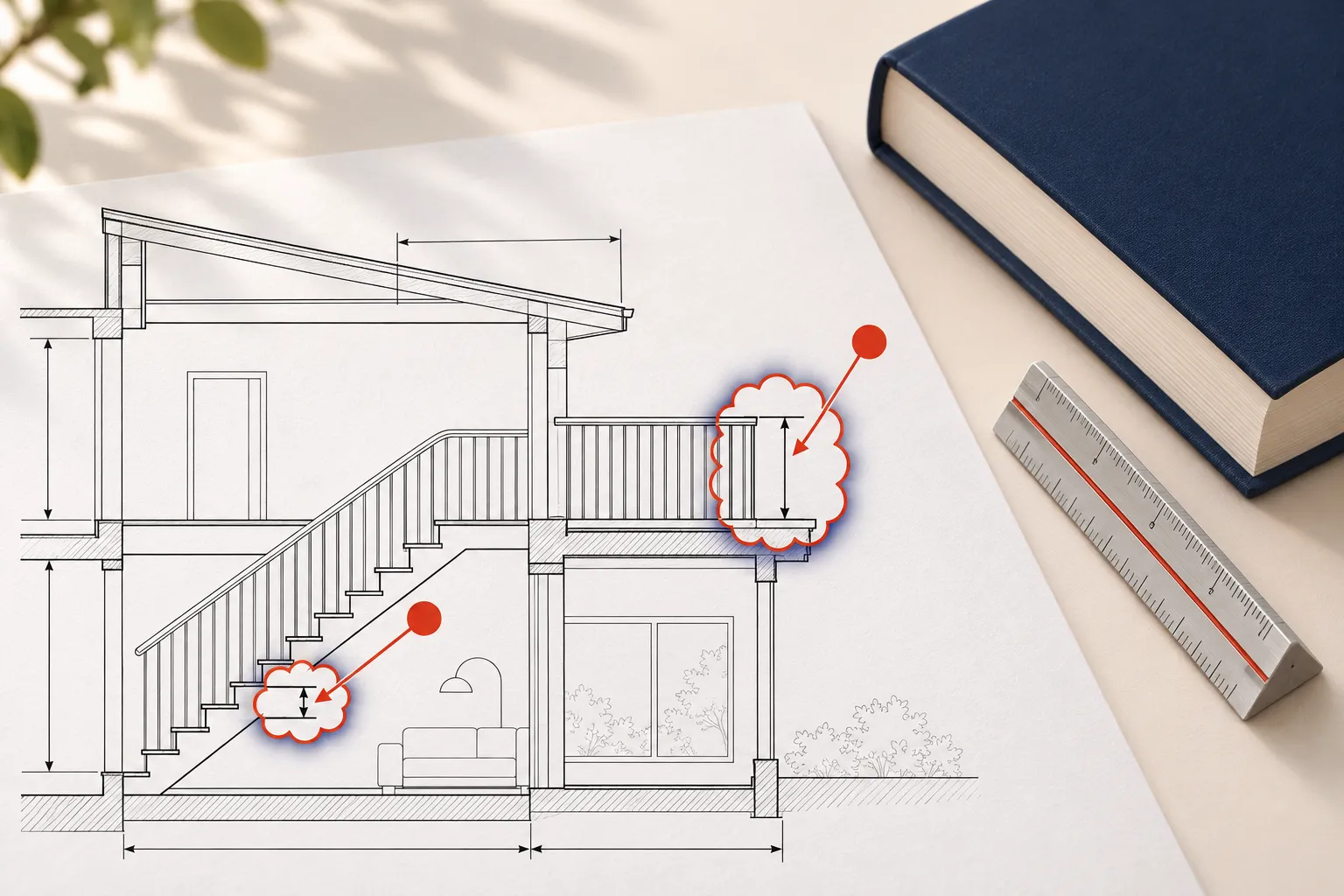
The whole set
Pick the sheets you want reviewed. It first looks over every sheet in the set to sort them into floor plans, sections, details and so on, then reviews yours in batches of up to 15, with related sheets together.
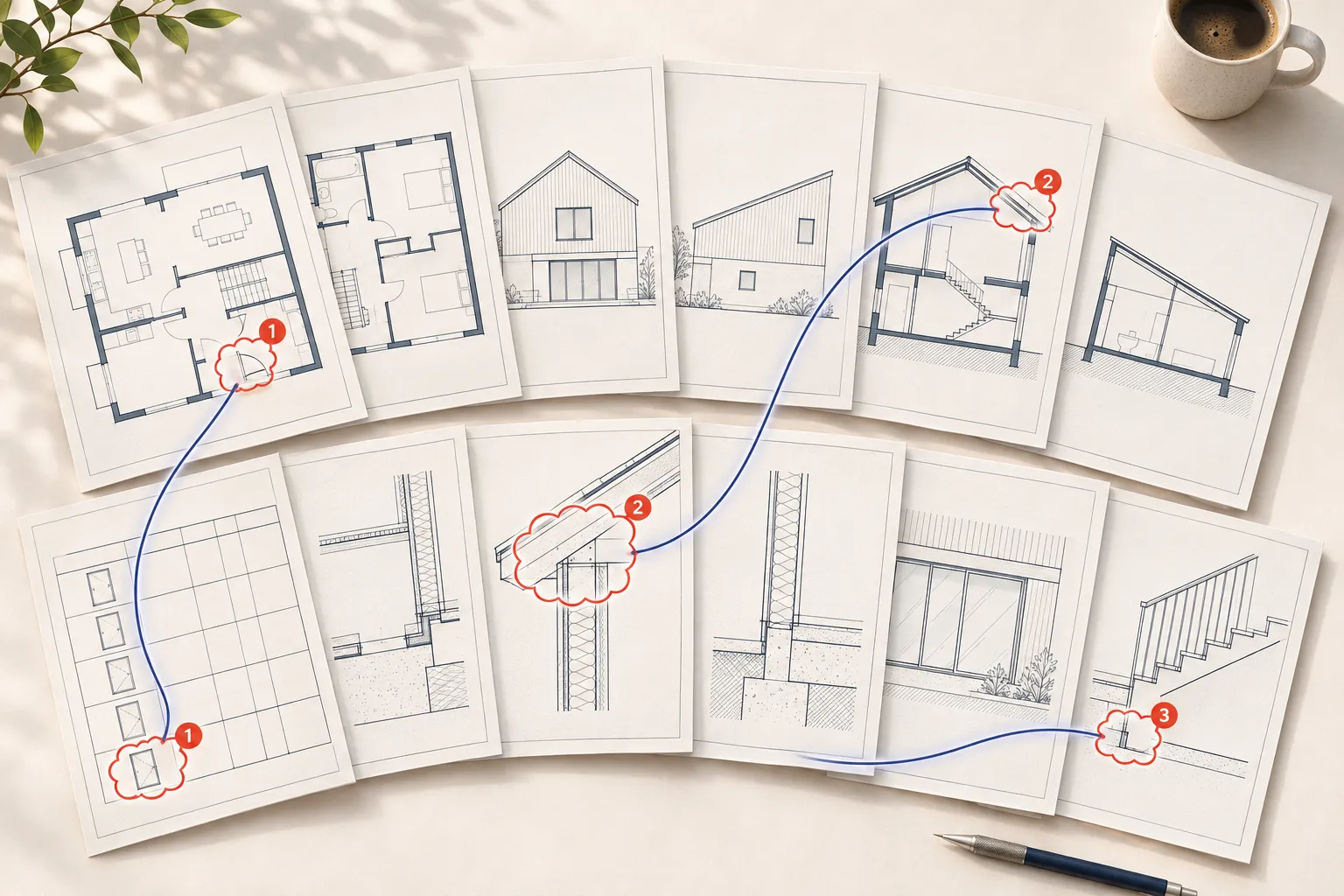
The client’s markups
Tick the reference files that hold the client’s markups: marked-up PDFs, or photos and scans of hand sketches. The AI review reads every page and turns them into a checklist, one item for each thing the client asks for.
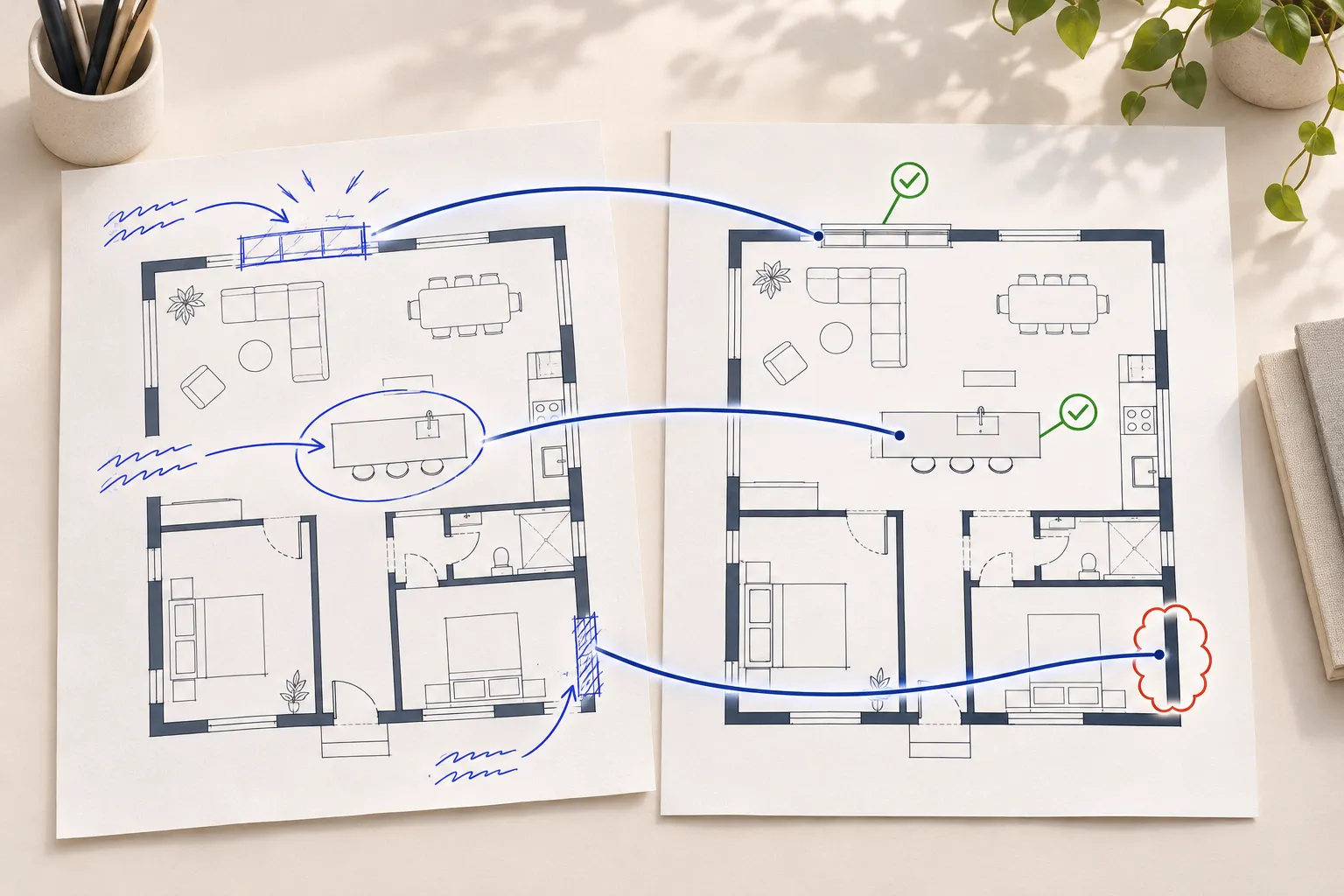
What comes back
Each issue is marked with a red revision cloud, fitted around the dimension, label or note it’s about, and a numbered comment from the AI Reviewer, assigned to the drafter. Where the cloud takes in more than the exact item, red arrows point at it.
The markup page at the demo studio: clouds on the plan, numbered comments beside it. The AI Reviewer’s comments land in this same panel.
The sheets go back to the drafter, as Return to Drafter does: they unlock, the comments publish and everyone is notified the usual way.
The sheets go to Final Review with the final reviewer you chose, who is notified as on a normal pass.
Reply to the AI Reviewer
Question any of its comments by replying, for example “we already have an ambulant toilet, is that enough?”. It re-reads the sheet, the codes for the property and the whole thread, and can open other sheets to check. Its answer usually arrives within a minute.
Fix it and send it again Each round it checks every earlier comment against the new sheets. Fixed ones close as Good, its own mistakes are withdrawn with the reason, and one marked Done but not fixed reopens as Redo. The sheets pass only when nothing new turns up, every earlier comment is cleared and every client markup is carried out.
It explains why, quoting the clause, and suggests a fix or a compliant alternative.
You’re right, so the comment is closed.
It rewords the comment and, if its cloud was in the wrong place, moves it to the text it means.
What it costs
Your studio buys AI tokens in packs, and each AI review takes what it really cost. About 200 tokens to set a review up and 55 tokens a sheet, plus 10 tokens a page for any client markups you tick.
The AI review dialog shows what the sheets you tick will take, and about what that is in your currency, next to your studio’s balance.
If they don’t, an owner can buy more on the Account page, or you can send fewer sheets.
Tokens come off as it works, a little more or less than the estimate. A run that has started is never stopped for tokens.
Replies to the AI Reviewer use tokens too, a few for each answer.
Estimate
Worked examples
| Example | Tokens | Cost |
|---|---|---|
| 1 sheet | 255 tokens | about $4.42 |
| 20 sheets | 1,300 tokens | about $22.54 |
| 80 sheets | 4,600 tokens | about $79.75 |
The examples don’t include client markups.
Other AI you run on demand, such as Fee proposal AI designer, uses AI tokens too. Meeting notes, title blocks read on upload, the help assistant and the AI that works on its own are included in your plan. What AI tokens pay for
Questions
No. It does the first check, the one that takes hours, and a person still makes the final call. Sheets it passes go to Final Review with the final reviewer you chose, who signs them off. Sheets it returns go to the drafter with every comment.
The ones that apply where the property is. It works out the location from the project’s address, or the title block, and checks online what that place has adopted: in Australia, the NCC edition with the state’s variations and the Australian Standards it references; in the US, the IRC or IBC and related codes adopted by the state, county or city, with local amendments. Each code issue quotes its clause.
About 200 tokens to set a review up and 55 tokens a sheet, plus 10 tokens a page for any client markups you tick. A review of 20 sheets takes about 1,300 tokens (about $22.54). You see the estimate before you send, and the run takes what it really cost.
Reply to its comment and say why. It re-reads the sheet, the codes and the thread, and can open other sheets and the documents in your register, so “the access report says this is fine” gets checked. Then it withdraws the comment, keeps it with the clause that requires it, or revises it.
No. Pick one sheet, a few, or up to 200 at once. It can still open the rest of the set for context, but it only marks up the sheets you sent. Sheets you didn’t tick stay as they are.
It sends sheets through the same Drawing, Review, Final Review and Complete stages a person does, with named drafters and final reviewers.
Drawings & QAClient reports drafted from email and chat, meeting notes, Write with AI, and the rest of the AI in TrackerPlus.
AI in TrackerPlus AI project reportsSee it for yourself
Short videos for owners, staff, clients and consultants, from the first fee proposal to the final invoice.
Free for up to 2 people. Upgrade when you outgrow it.Every AI feature, what each one reads, and what is in your plan.
5 / 10
Comments (3)
Open CommentsFROMPriya
Check the accessible path of travel through here - 1000 clear minimum.
closedReply
FROMPriya
Add the joinery reference (J-04) and the ceiling height to this room.
closedReply